
The features mentioned in this article are available to all Teachers on paid and free subscriptions. However, only a limited number of lessons are available on free subscriptions.
To view lessons, start in the Lesson Library
Pro tip: Use this Teaching Tools resource to view a list of all our lessons and lesson objectives in one place.
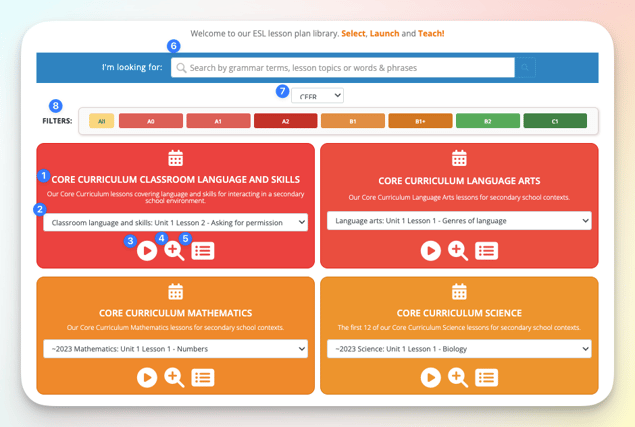
The Lesson Library gives you visibility into all of the lessons on your account.
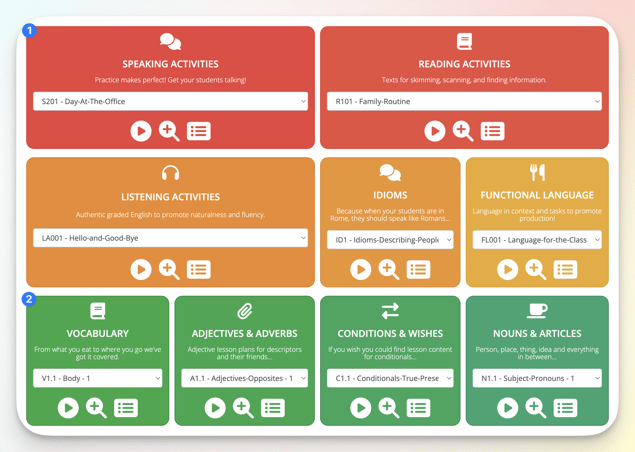
- View the name of the curriculum or category of lessons
- Scroll through the list of the individual lessons in the section
- Launch lesson
- Preview lesson
- Preview homework
- Search
- Toggle Framework (WIDA, CEFR, TELPAS, CA ELD, ELPA 21 and NY).
- Filter by proficiency level
Scroll down the page to find more curriculum and lesson categories
Use the search bar at the top to search for lessons
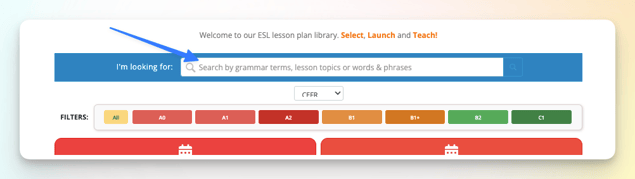
You can search for:
- The name of the curriculum or lesson category
- The name of the lesson
- The objective of the lesson
- The Can-do statement of the lesson
- The lesson skill (e.g. Speaking, Reading, etc.)
- The grammar topic (e.g. present simple, past continuous, linking words)
Teachers on the free plan can access all lessons that are not marked with a “+”. Download the list of available lessons here.
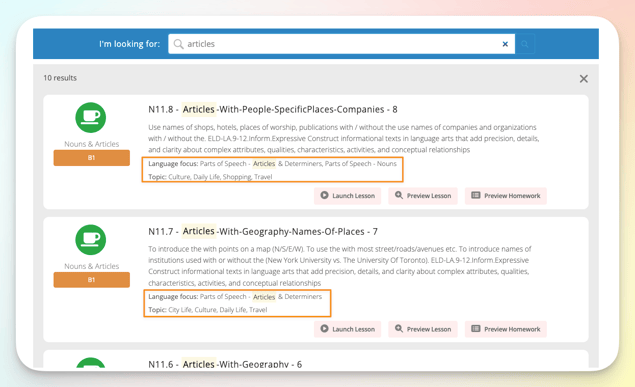
Each result shows the lesson's Language focus and Topic
Language focus: the grammar or language point the lesson teaches
Topic: the subject matter it uses to teach that point
To see how to teach a lesson, not just find it, open its Teacher Guide or Teacher Notes. See Teacher Guides.
Related Articles: