
Who this is for: teachers
Available to: teachers on all subscriptions
When searching the lesson library, streamline your search by excluding lessons that don't match your students' proficiency level. Select the appropriate level, ranging from Beginner to Advanced, to filter out lessons that fall outside your desired range.
Updating the framework
The proficiency filters match the framework you select in the Framework menu. Choose the one your school or district uses. The options are:
- CEFR: Common European Framework of Reference for Languages
- WIDA: WIDA English Language Development Standards
- ELPA21: English Language Proficiency Assessment for the 21st Century
- CA ELD: California English Language Development Standards
- TELPAS: Texas English Language Proficiency Assessment System
- NY: New York Standards
- AZ ELPS: Arizona English Language Proficiency Standards
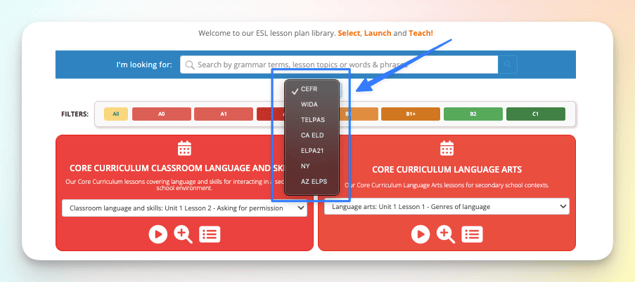
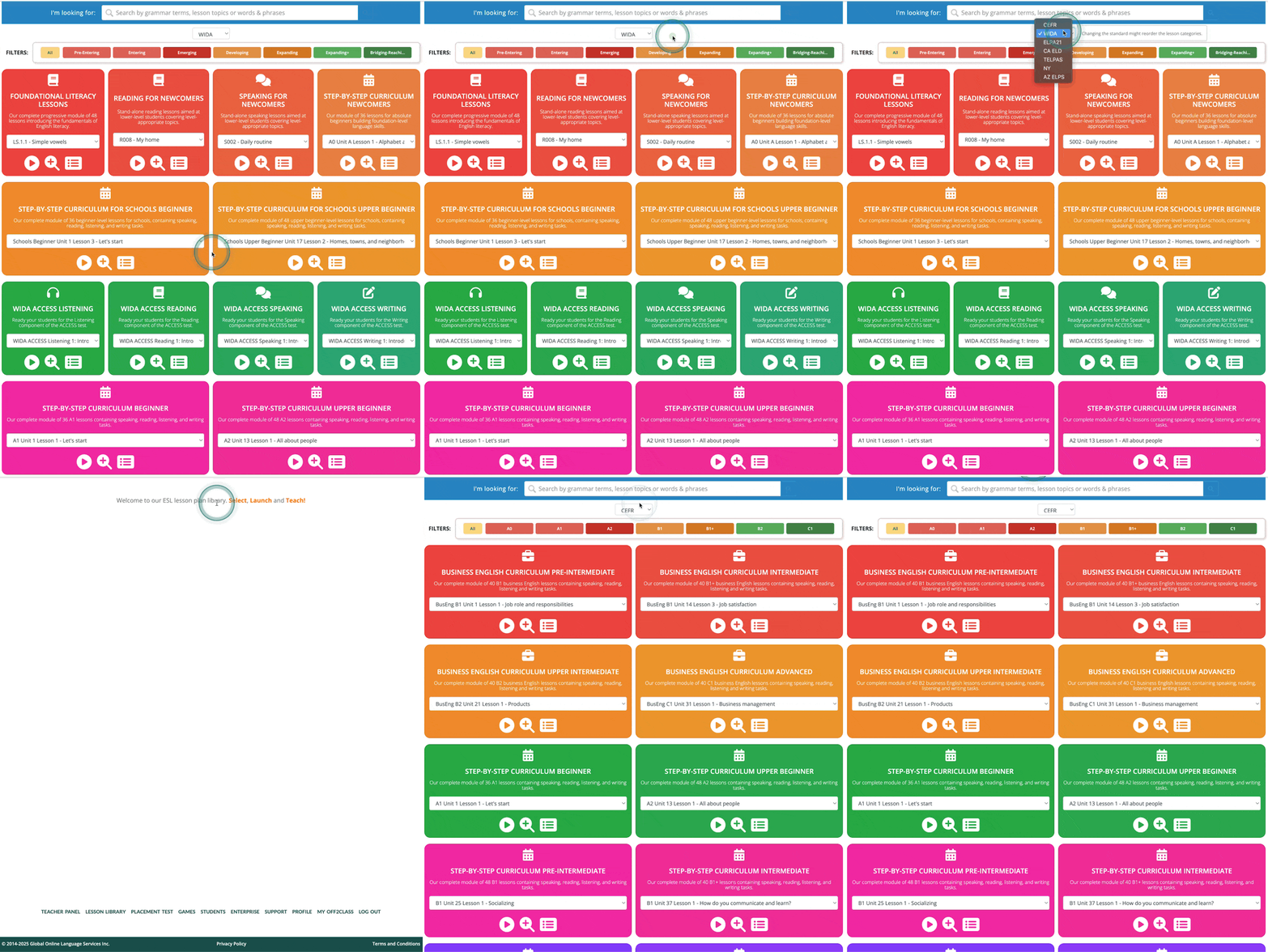
Updating the framework may change the order of the groups in the library
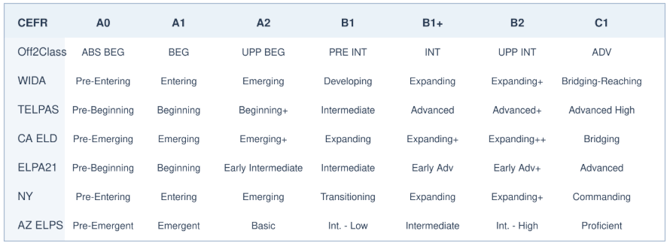
The table below provides a general comparison of proficiency level labels across supported frameworks. This is for reference only and does not represent official score conversions.
Updating the proficiency filters
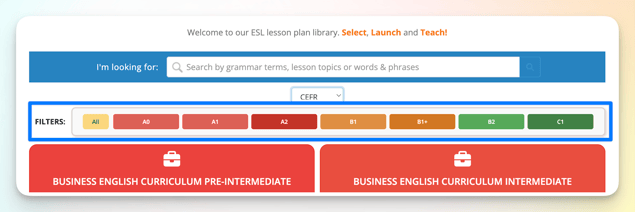
Select the appropriate level within your chosen framework to filter out lessons that fall outside your desired range.
Example:
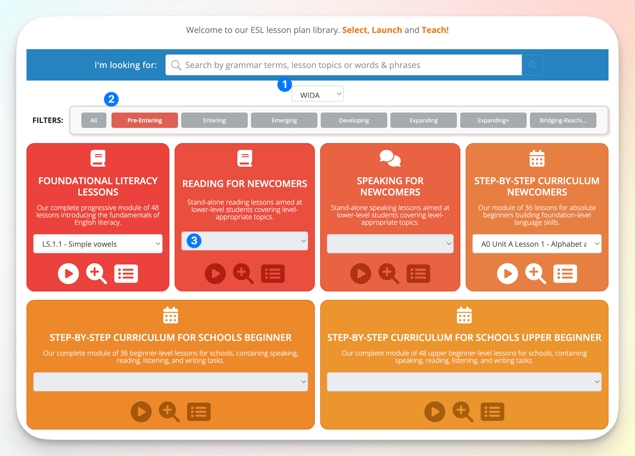
- Framework: WIDA is selected.
- Proficiency level: Pre-Entering is selected.
- Lessons: No lesson appears here as there are no lessons available at the selected level in this lesson category. Scroll down to find available lessons matching the chosen proficiency level.