
Who this is for: teachers
Available to: teachers on all subscriptions. Free subscriptions include a limited number of lessons and the Placement Test Grammar section only.
Before you start: Nothing.
Contents
- What it is
- What sets it apart
- How it works with your lessons, Placement Test and Independent Practice
- Where you'll find skills
- Things to know
What it is
A skill is one specific thing a student can do in English, such as "Use am, is, are, was, and were in simple sentences, including negatives and contractions." Each skill belongs to a domain: Grammar, Vocabulary, Reading, Listening, Writing, Speaking, Literacy or Other.
Lessons, Placement Test questions and Independent Practice (Homework) questions in Off2Class are tagged with skills. You can see the skills on the lesson card, on each question, and in your students' results.
What sets it apart
See a lesson's skills before you teach it
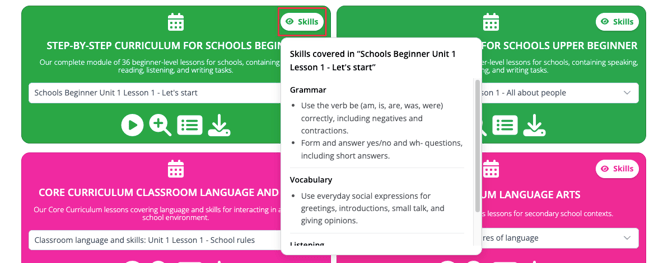
Select Skills on any lesson card to see the skills for the lesson selected in the drop-down, grouped by domain. Change the lesson and the list updates. If you're choosing between two lessons for a small group, check both lists and pick the one that matches what the group needs.
See which skills a student missed on the Placement Test
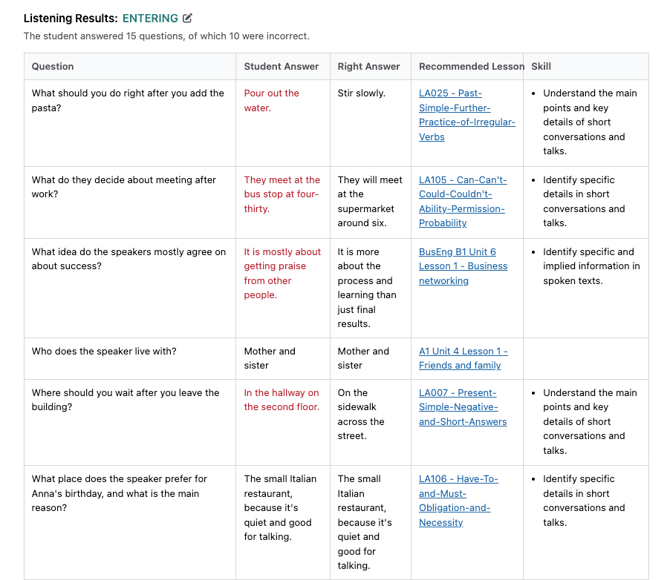
On a student's Placement Test results, the Skill column shows the skill each question assesses, next to the student's response. You see more than a level: you see which skills held the student back. If a student places at A2 but misses most questions on one reading skill, you know what to work on first.
On the Adaptive Placement Test, skills show for Reading and Listening questions. On the Standard Placement Test, the Gap Analysis shows the skill for each question.
See the skill behind every Independent Practice question
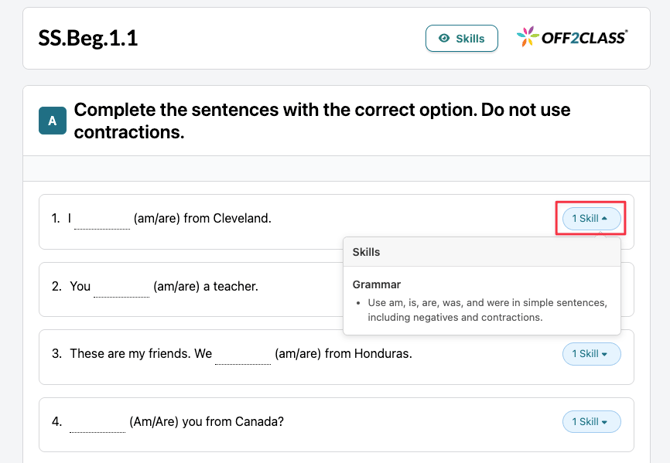
Each Independent Practice question has a skill tag, for example 1 Skill. Select it to see the skill the question practices. You'll find these tags when you preview Independent Practice and when you review a student's work. You can follow a student's skills through the year, not only at placement.
Find lessons by skill
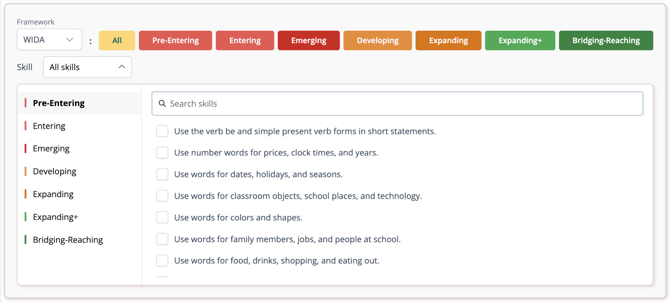
The Skill filter in the Lesson Library shows only the lessons for the skills you pick. It sits under Framework, its levels follow the framework you've selected, and you can combine skills from different levels. See Find lessons by skill.
How it works with your lessons, Placement Test and Independent Practice
Skills link what you see in your students' work to the lessons that practice it.
- Placement Test: when several missed questions share a skill, look that skill up in the Skill filter. Use the lessons you find alongside the lesson recommendations already on the results screen.
- Independent Practice: if the same skill keeps showing up in a student's missed questions, that's the skill to reteach. Use the Skill filter to find a lesson to assign next.
- Lesson cards: a lesson's Skills list is the same list as its Independent Practice. It's the skills that lesson's Independent Practice questions practice.
Where you'll find skills
| Where | What you see | How |
|---|---|---|
| Lesson card | The skills for the selected lesson, grouped by domain | See the skills a lesson covers |
| Lesson Library Skill filter | Lessons that match the skills you pick | Find lessons by skill |
| Placement Test results | The Skill column, next to each response | How can I review and share my students’ Placement Test results? |
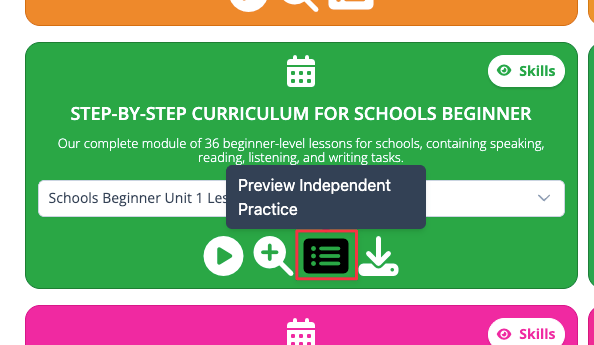
| Independent Practice preview | Select Preview Independent Practice on the lesson card. Skills at the top lists every skill in the assignment, and each question has its own skill tag. | Independent Practice (Homework) |
| A student's Independent Practice | The skill tag on each question, next to the student's answer | How can I review my students’ Independent Practice (Homework)? |
Things to know
- A few lessons don't have skills yet. They show "No skills have been tagged for this lesson yet."
- On the Adaptive Placement Test, Grammar skills are coming soon, and a few Reading and Listening questions don't show a skill yet. Writing and Speaking questions don't have a skill.
- The search bar at the top of the Lesson Library doesn't search skills. Use the Skill filter instead.
- Changing the framework resets both the level and skill filters, and the Lesson Library shows "Level and skill filters were reset." Reloading the page also clears the skill filter.
