
Who this is for: teachers
Available to: teachers in the Games private beta
Before you start: Nothing.
Contents
Choose a game and a lesson
- In the Teacher menu, select Games Center.
- Under New Games, select Play on the game you want.
- Optional: to see the rules first, select How to play.
- Under Choose a lesson, select Play on the lesson you want to use.
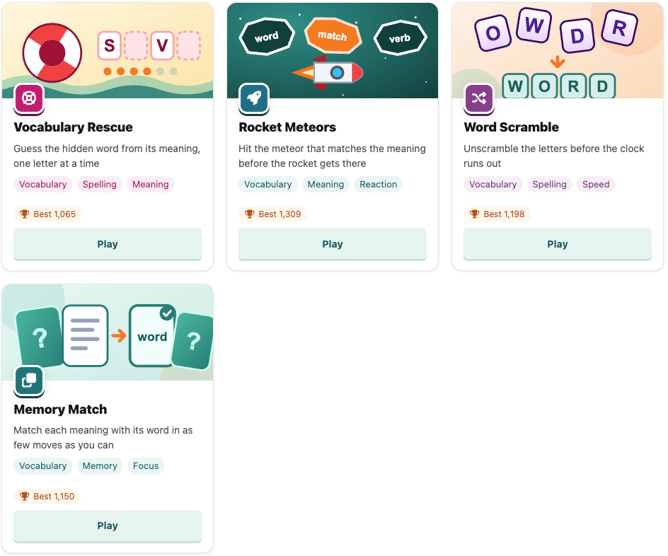
Result: the game opens with the lesson name at the top, the rules and a Start game button.
Use a lesson that isn't in your list
The list shows your 12 most recent lessons. To play with another lesson, search for it.
- Under Choose a lesson, select Search all lessons.
- Enter part of the lesson title.
- Select Play on the lesson.
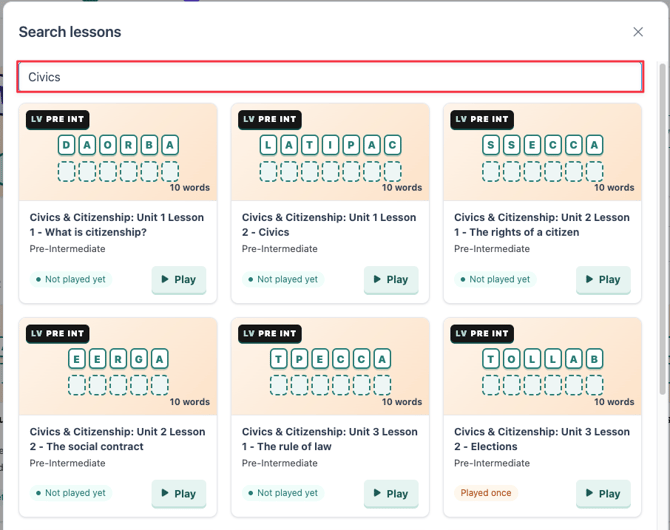
Result: the game opens with that lesson's vocabulary.
Play the game
To play with your class, share your screen and let students call out the answers while you select them.
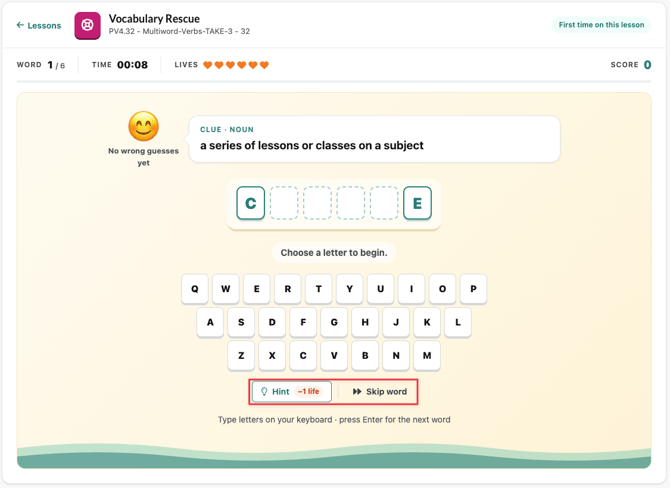
- Select Start game.
- Answer each word, following the rules for the game.
- Optional: to move past a word nobody can solve, select Skip word. In Memory Match, select Skip this word.
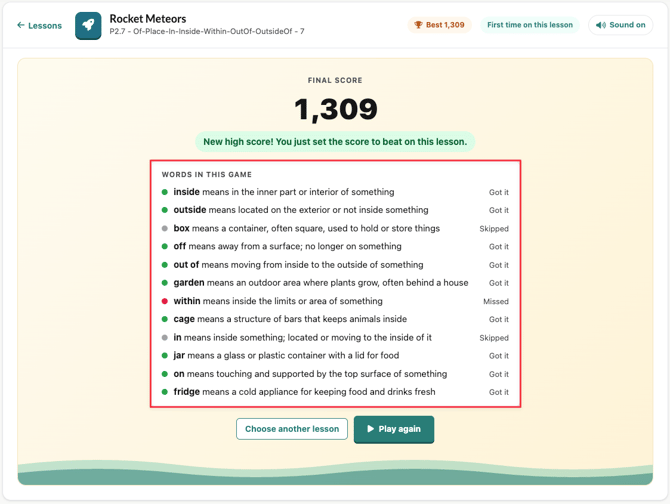
Result: after the last word, the final score and the word list appear.
Review the words
The results screen shows the final score and Words in this game. Each word is listed with its meaning and marked Got it, Skipped or Missed.
- To play the same game and lesson again, select Play again.
- To pick a different lesson for the same game, select Choose another lesson.
Rules for each game
Each game also shows its rules before you start, and under How to play.
Vocabulary Rescue
- Read the clue and pick letters to find the hidden word. There are six words.
- You have six lives for each word. A wrong letter costs one life.
- A hint costs one life. It shows a sentence from the lesson, or one letter of the word.
- The more lives you keep, the more points you earn. You can also type the letters and press Enter for the next word.
Rocket Meteors
- A meaning appears under the sky. After a few seconds to read it, the rocket flies toward four word meteors.
- Select the meteor with the right word. The sooner you hit it, the more points you earn.
- A wrong hit speeds the rocket up. Three wrong hits, or the rocket reaching the meteors, ends the round.
- There are 12 meanings, with 15 seconds for each. The clock stops while you read.
Word Scramble
- You get 10 words from the lesson with their letters mixed up. Select the letters, or type them, to build each word.
- If the word is wrong, green letters are in the right place and stay. Red letters go back so you can try again.
- Every word has its own clock. A faster answer earns more points.
- A hint places the next letter and costs 30 points.
Memory Match
- There are eight meaning cards on the left and eight word cards on the right. Flip a meaning first.
- Then find the word that fits it. A matching pair stays open.
- Each card is read aloud when it flips. To turn the sound off, select Sound on.
- Fewer moves and a faster time earn a higher score.
Things to know
- A lesson shows Not available for this lesson when it doesn't have enough vocabulary for that game. Try the lesson in another game.
- Your best score is saved for each game and each lesson. It shows on the lesson card and on the game card in the Games Center.
- A skipped word earns no points.
- Students can play the same games in their own accounts, built from the lessons they've been part of.