
Who this is for: teachers
Available to: teachers on all subscriptions
Contents
- Removing a homework assignment for an individual student
- Removing a homework assignment for a whole class
Removing a homework assignment for an individual student
To remove a homework assignment for one student:
- Go to the Student Management Panel.
- Select the student's name to open their page.
- In Lesson History, find the lesson with the homework assignment.
- In the Actions column, select the gear icon.
- Select Remove Assignment.
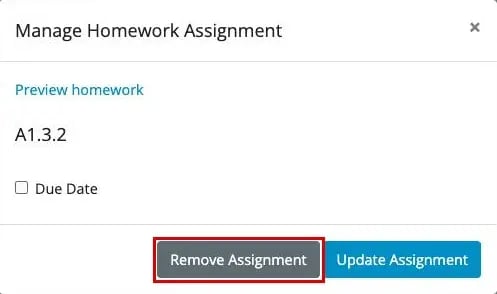
Result: the homework is removed from the student's To Do tab.
Remove a duplicate homework assignment
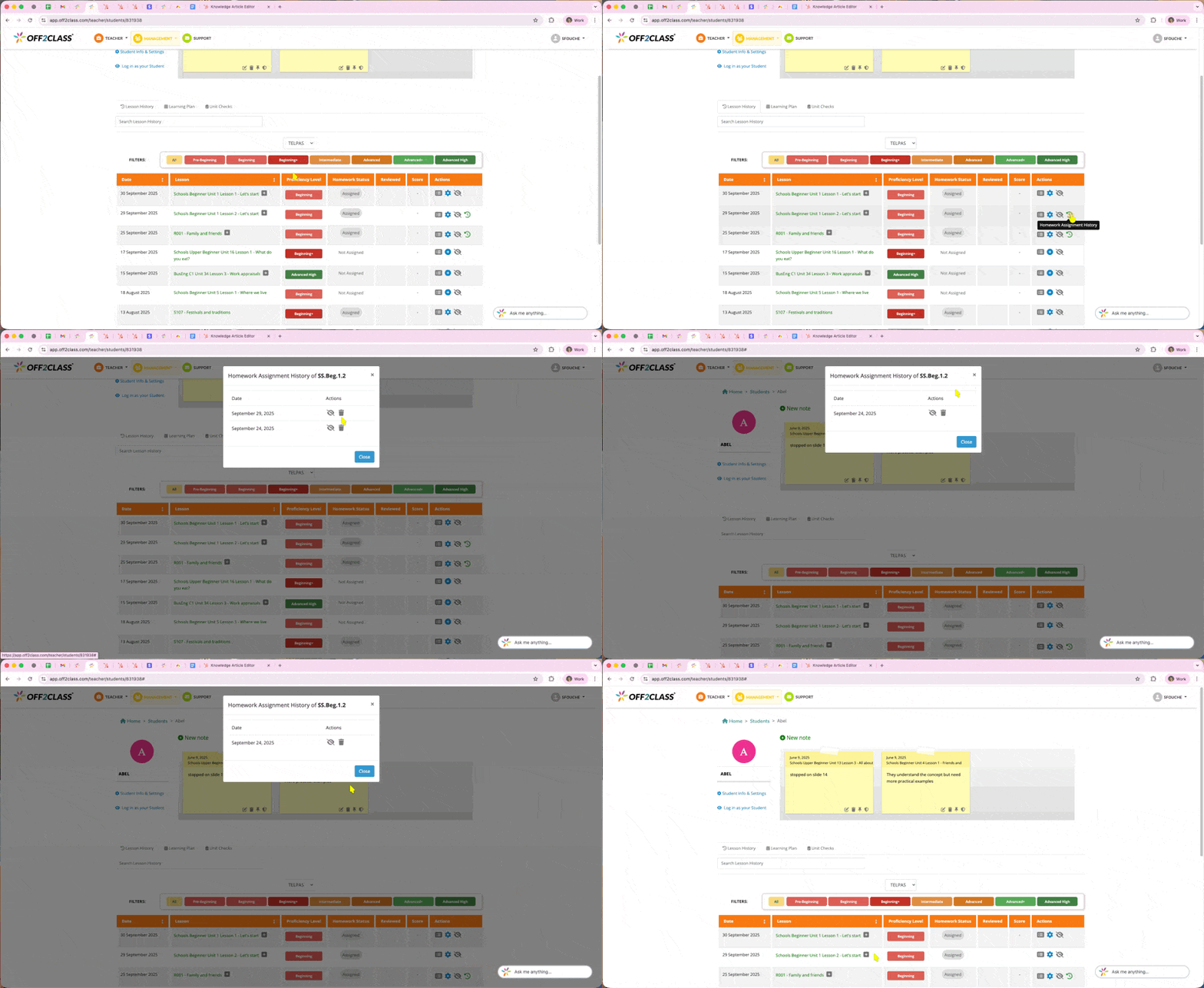
If the same homework was assigned to a student more than once, a clock icon appears next to it in the Actions column.
- Select the clock icon to open the Homework Assignment History.
- Select the bin icon next to the copy you want to remove.
Removing a homework assignment for a whole class
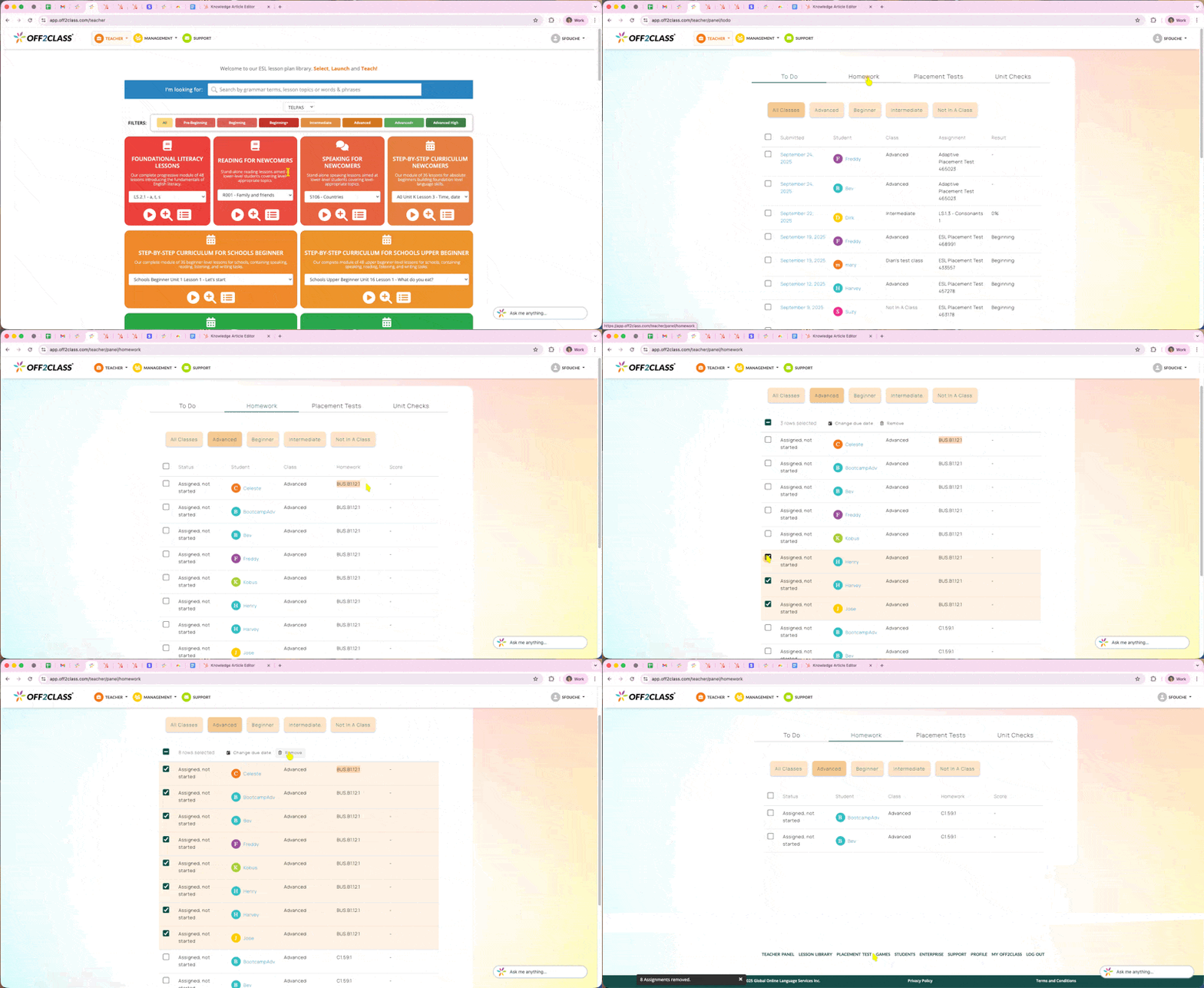
To remove a homework assignment for multiple students in the same class:
- Hover over Teacher in the top left and select Teacher Panel.
- Open the Homework tab.
- Select the class you want to edit.
- Select the boxes next to the students whose assignment you want to remove.
- From the menu at the top, select Remove.
Note: This action removes a homework assignment. It is not possible to remove lessons from a student's history. If you're clearing out last year's work before a new school year starts, removing assignments won't do it. See End-of-Year Procedures for what can and can't be cleared, and what to export first.