
As of July 30, 2026, Homework Review Updates are available to beta testers.
Table of contents
What's new?
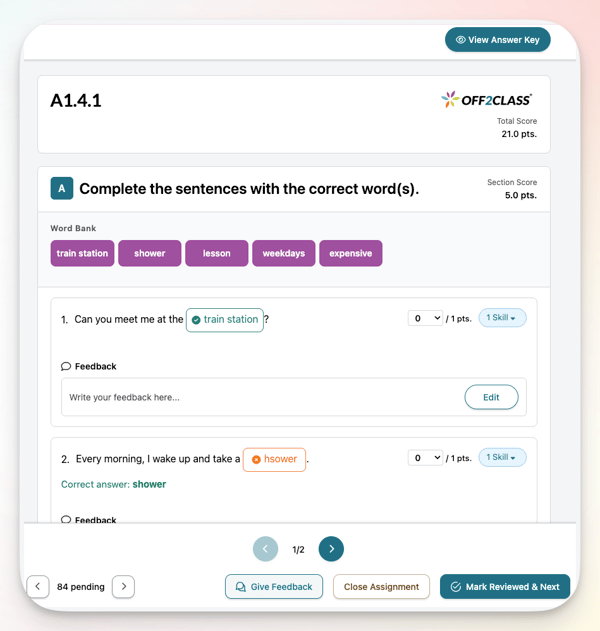
- Combined answer view: The answer key and your student's submitted answers now appear together in one view, so you can check a response against the correct answer without switching panels. The dedicated answer key is still there whenever you want it, one click away. This new view is available in Student Profile, Class Management, and Teacher Panel.
- Iterate to the next submission: You can now move from one submission straight to the next without leaving the review window. Score a student, then jump to the next submission waiting for review and keep working. This is available in Class Management and Teacher Panel. It isn't available when you're reviewing from Student Profile.
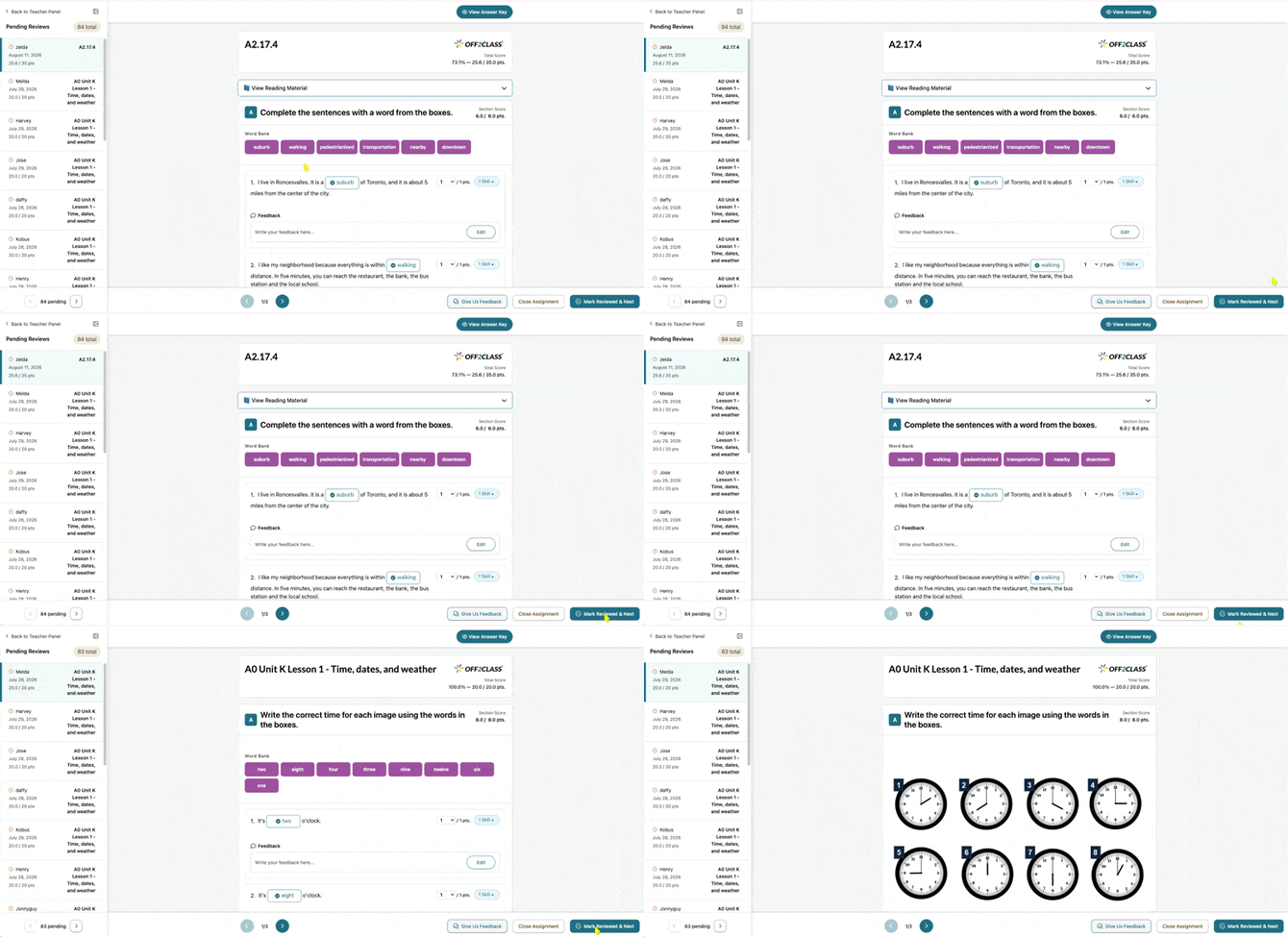
- Refreshed look: The homework section has a cleaner layout and updated graphics that make submissions easier to scan.
Homework review is rarely a one-student job. It usually happens in a block at the end of a day or a week, with a stack of submissions waiting, and every trip back to a list to find the next name breaks the rhythm. Staying in one view means you can settle in and clear the stack in one sitting, students get their scores and feedback while the lesson is still fresh, and patterns across the class are easier to spot when you've seen every submission in a single pass.
On paid subscriptions, this sits on top of homework auto-scoring: the AI drafts a first pass, and you review and adjust it without leaving the view you started in. Teachers on free subscriptions will see a prompt to upgrade for AI auto-scoring and feedback on auto-scored sections.
How does it work?
Open a submission from the Teacher Panel or Class Management the same way you always have, and you'll land in the new combined view.
- Review the student's answer against the answer key together, question by question.
- Click through to the dedicated answer key any time you want to see it on its own.
- Score and leave feedback as usual. To edit feedback, click Edit in the Feedback box under an answer. 'Input Student Answer' copies your student's answer into the editor so you can mark it up with bold, italics, underline, strikethrough or colors.
- Move straight to the next submission in your queue without closing out and searching for it separately.
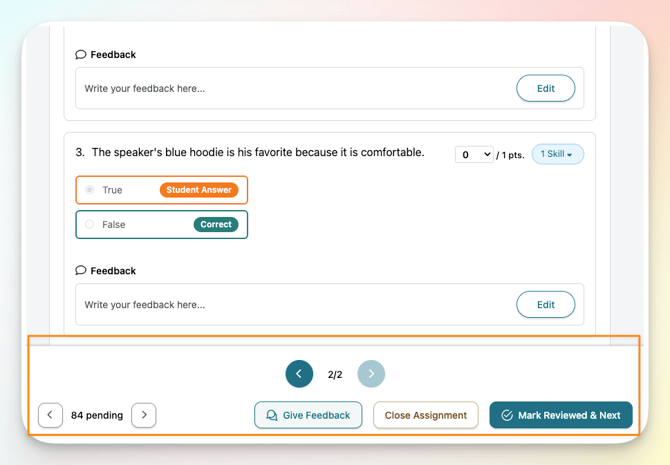
This beta doesn't change how you access or start a review — it only changes what you see and how you move between submissions once you're there.
Learn more about reviewing student homework here.
FAQ
How can I get access to Homework Review updates?
The beta is open. You can learn more about the beta program and request access here, and we'll email you once it's enabled.
Will I still be able to see the answer key on its own?
Yes. The combined view is the default, but the dedicated answer key is always one click away.
Does this change how auto-scoring works?
No. Homework auto-scoring for free-text and speaking responses works the same way it does today; this beta only changes the review experience around it.
Do students see the correct answers?
Yes. For single-answer questions, students see the correct answers as soon as they complete the homework. The beta doesn’t change this, and there isn’t a setting to turn it off.
Can I hide the answers while I review homework with a student?
Not in the combined view. The correct answers appear next to your student’s responses, and the double arrow icon from the previous review screen isn’t there.
I'm on a free subscription. What will I see?
You'll get the combined view and the ability to move between submissions. On auto-scored sections, you'll also see a prompt to upgrade for AI auto-scoring and feedback.
How can I report feedback and bugs?
Contact Off2Class Support: info@off2class.com. We're eager to hear your feedback, so please share it, big or small! For bugs, include as much detail as possible so we can identify and solve the issue quickly. Extra points for screenshots and videos of the problem!