
Who this is for: teachers
Available to: teachers on all subscriptions
Before you start: at least one lesson your student has been enrolled in.
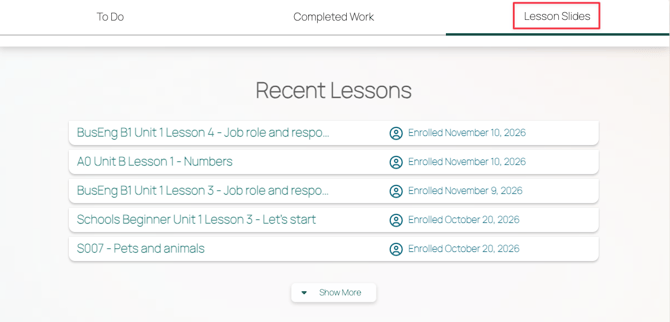
Students find the lessons they've been enrolled in on the Lesson Slides tab of their Student Page. To see exactly what your student sees, log in as your student.
Find past lessons
- Have your student log in to Off2Class. Their Student Page opens on the To Do tab.
- The student selects the Lesson Slides tab. Their lessons are listed under Recent Lessons.
- If the lesson isn't listed, the student selects Show More.
- The student selects the lesson.
Result: the lesson opens.
Tabs on the Student Page
- To Do: Unit Checks, Independent Practice (Homework) and Placement Tests the student still needs to complete.
- Completed Work: Unit Checks, Independent Practice and Placement Tests the student has finished.
- Lesson Slides: every lesson the student has been enrolled in.