
Who this is for: Teachers, Managers | Category: Teaching Tools | Type: New Resource 🚀
What changed
Video: In a Minute: Teaching Tools Overview
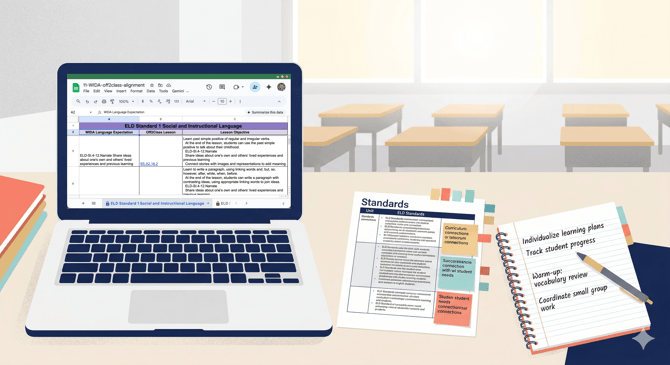
We've published a new Teaching Tools Overview page that consolidates all Off2Class planning and curriculum resources in one place. This includes the full lesson list spreadsheet, the Can-do Descriptors Index, vocabulary lists and can-do statements for each curriculum track (Step-by-Step, Step-by-Step for Schools, Step-by-Step Business English, and Core Curriculum), standards alignment spreadsheets for WIDA, TX ELPS, ELPA21, and CA ELD, and a subscription-based lesson availability reference.
Why it matters
For teachers: Before this page, finding the right planning resource meant knowing it existed and remembering where it lived. Now there's a single starting point. Need to check what vocabulary your Step-by-Step Curriculum for Schools students will encounter in the next unit? Want to look up which Off2Class lessons map to a specific WIDA language expectation? Or need to build a pacing guide using the full lesson list with objectives? It's all on one page.
The Can-do Descriptors Index is worth highlighting. It breaks down what students should be able to do at each Off2Class proficiency level across all four language domains. That's a reference you can use daily — when deciding which lessons to assign, when interpreting placement test results, or when explaining to a student or parent what a proficiency level like "Emerging" actually means in practice.
For coordinators: The standards alignment spreadsheets contain invaluable information. For example, if you're in a WIDA state, you can view mapping information between Off2Class lessons and WIDA language expectations in both directions (Off2Class → WIDA and WIDA → Off2Class). These are the documents that make it straightforward to show a curriculum committee or a Title III auditor exactly how Off2Class maps to your state's language standards.
How to use it
Go to Features & Teaching Tools > Teaching Tools in the Help Center, or navigate directly to the Teaching Tools Overview. All resources are Google Sheets. You can view them directly, make a copy for your own use, or download them.
Have questions? Chat with our AI assistant at the bottom right of this page, or reach out to our support team at info@off2class.com.