
The features mentioned in this article are only available to Managers on paid multi-teacher subscriptions.
To download student account data, start in the Enterprise Management Panel, click Export and then Request Account Data.
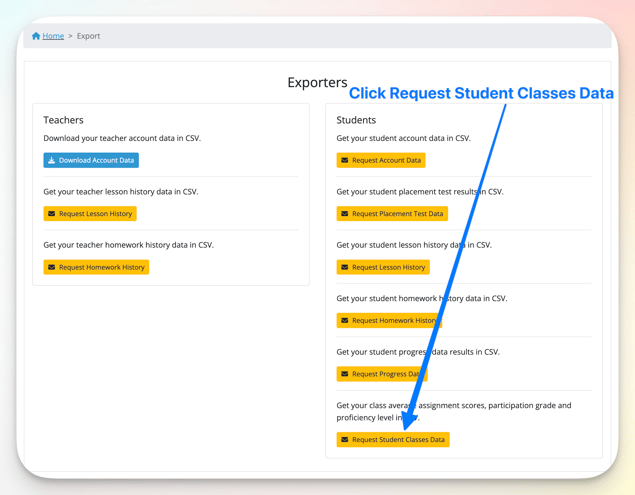
An email will be sent to you with a link to download the .CSV file. The email is usually sent after a few seconds and will come from app@off2class.com. The file contains the following information:
- Student Name
- Student Email
- Student's Classes
- Homework Submitted
- Homework Average Score (%)
- Assessment Submitted
- Assessment Average Score (%)
- Participation Score (%)
- Proficiency Level
Here is an example of what the file would look like after the .CSV file is opened in an app like Google Sheets.
