
The features mentioned in this article are only available to Managers on paid multi-teacher subscriptions.
Related articles:
Two error messages might occur when attempting to add a teacher. We'll cover each below and explain how to solve them.
- Transfer: A user with the email address is already registered on this site
- Reactivate: A teacher with the email address existed and was deleted
How to transfer a teacher
Error message: A user with the email address is already registered on this site
After attempting to add the teacher, click 'Click here'
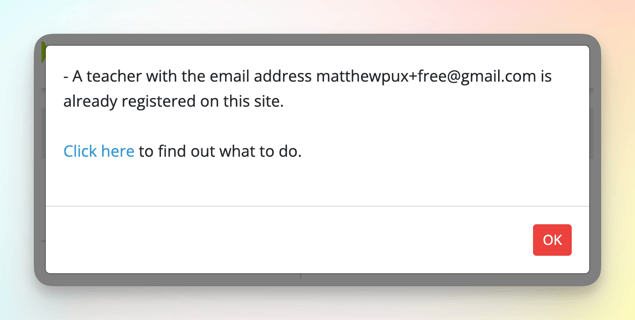
Click 'Request Transfer from teacher'

Ask the teacher to locate the email and click 'Accept request' at the bottom.
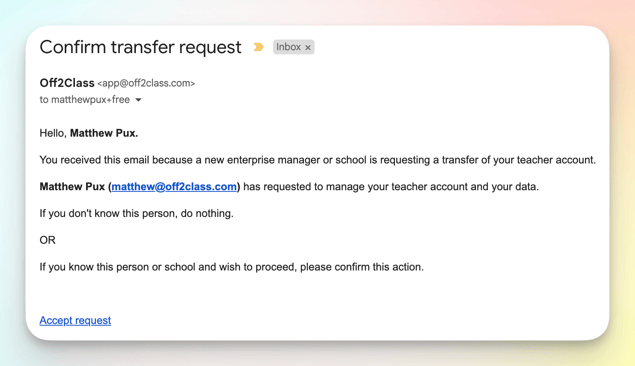
The email will come from app@off2class.com and have the subject 'Confirm transfer request.' The activation link will last for 168 hours. Once the teacher clicks the link, they will be added to your account.
How to reactivate a teacher
Error message: A teacher with the email address existed and was deleted
After attempting to add the teacher, click 'Click here'

Click 'Request reactivation from teacher'

Ask the teacher to locate the email and click 'Reactivate my account' at the bottom.

The email will come from app@off2class.com and have the subject 'Confirm Reactivation'. The activation link will last for 24 hours. Once the teacher clicks the link, they will be added to your account.