Student Progress Tracking
See every skill, and what to teach next.
Review performance within each level, connect results to completed work, and find lessons that address each student’s needs.
- See accuracy and the completed work behind each skill result.
- See performance within each level and across levels.
- Connect learning gaps to relevant lessons and activities.
Grammar
Vocabulary
Speaking
Look behind every skill score.
Review the questions behind a skill score to see what needs another pass.
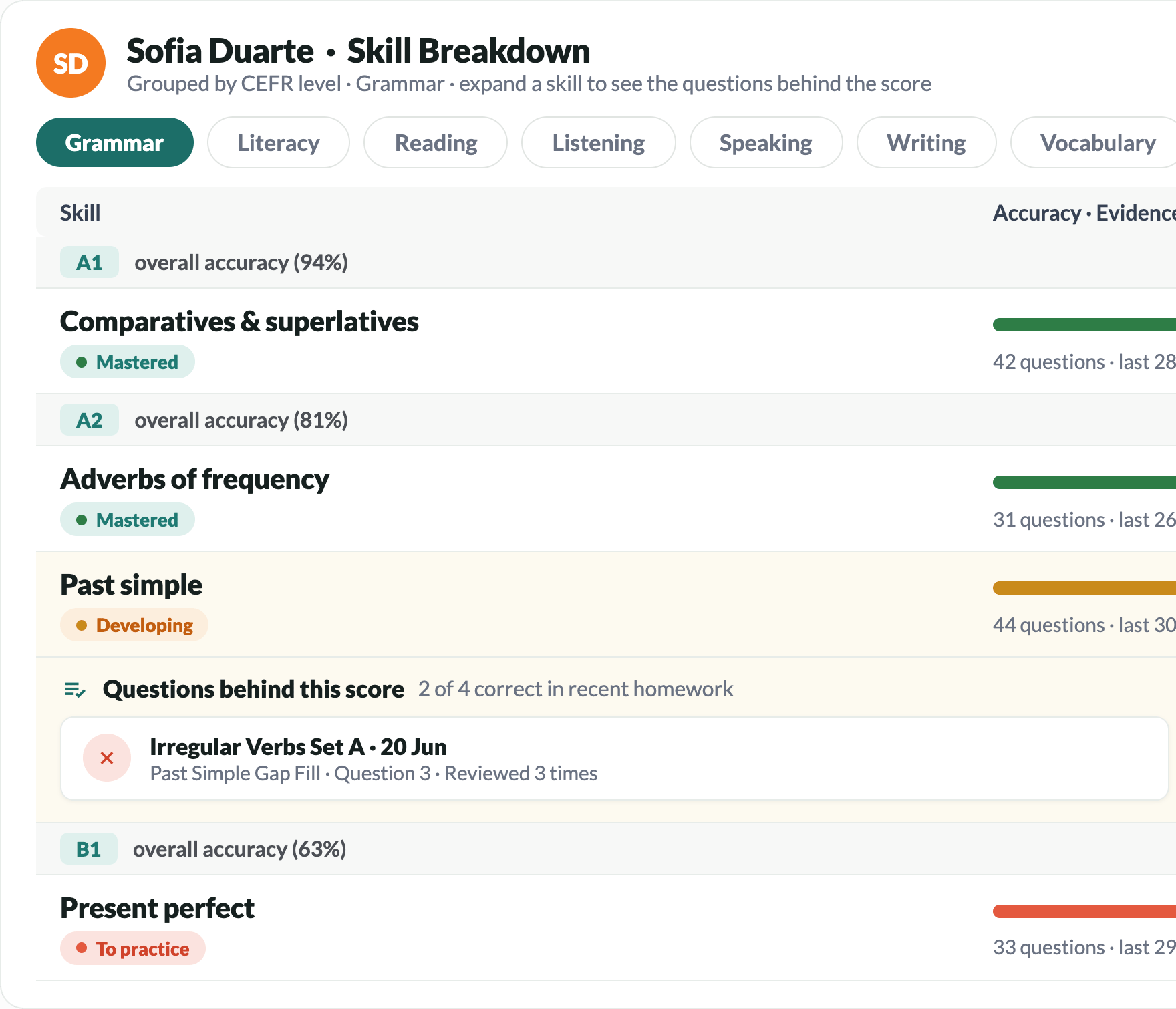
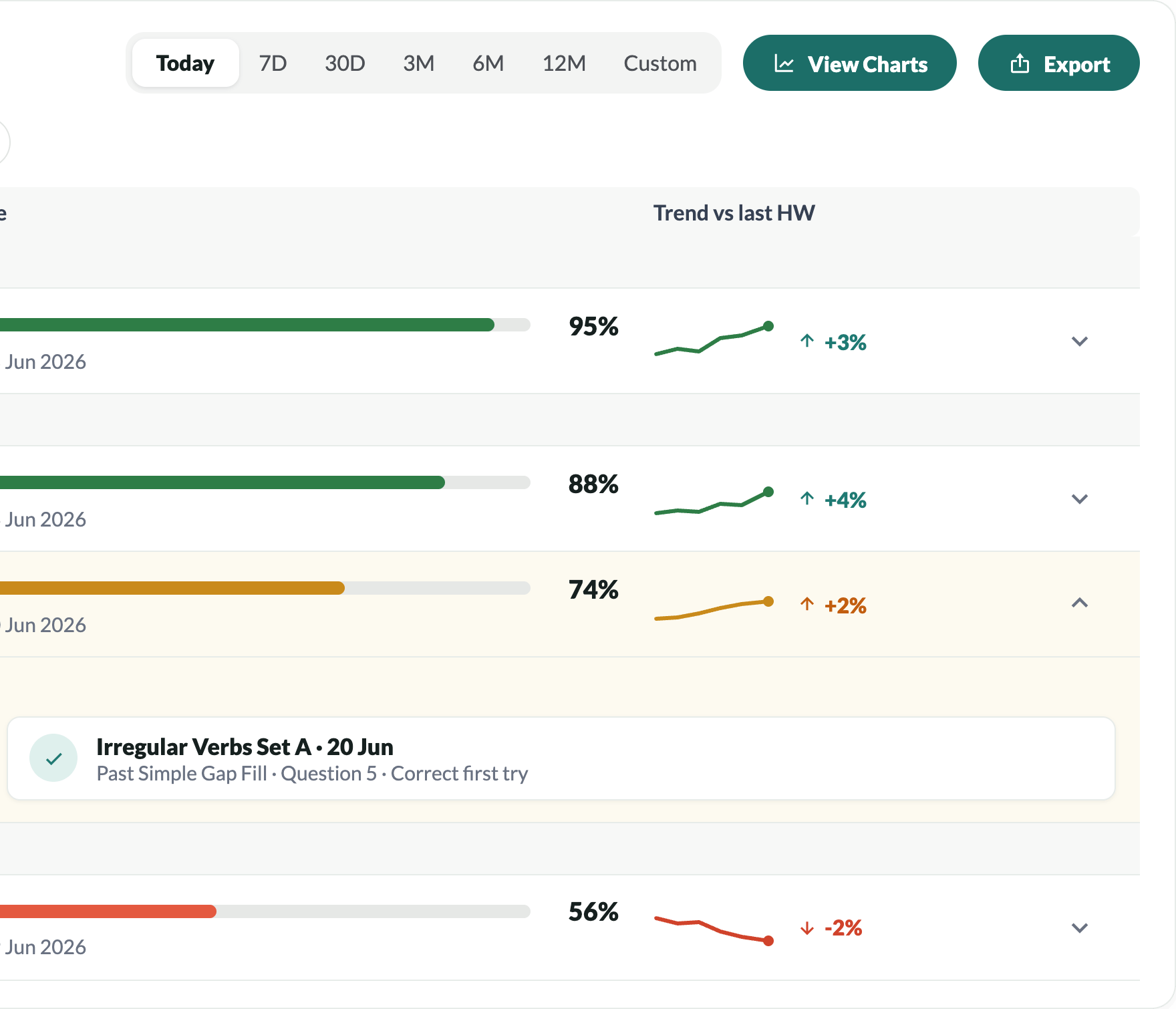
See student performance. Know what to teach next.
See strengths and gaps.
Understand skill performance.
Connect evidence to instruction.
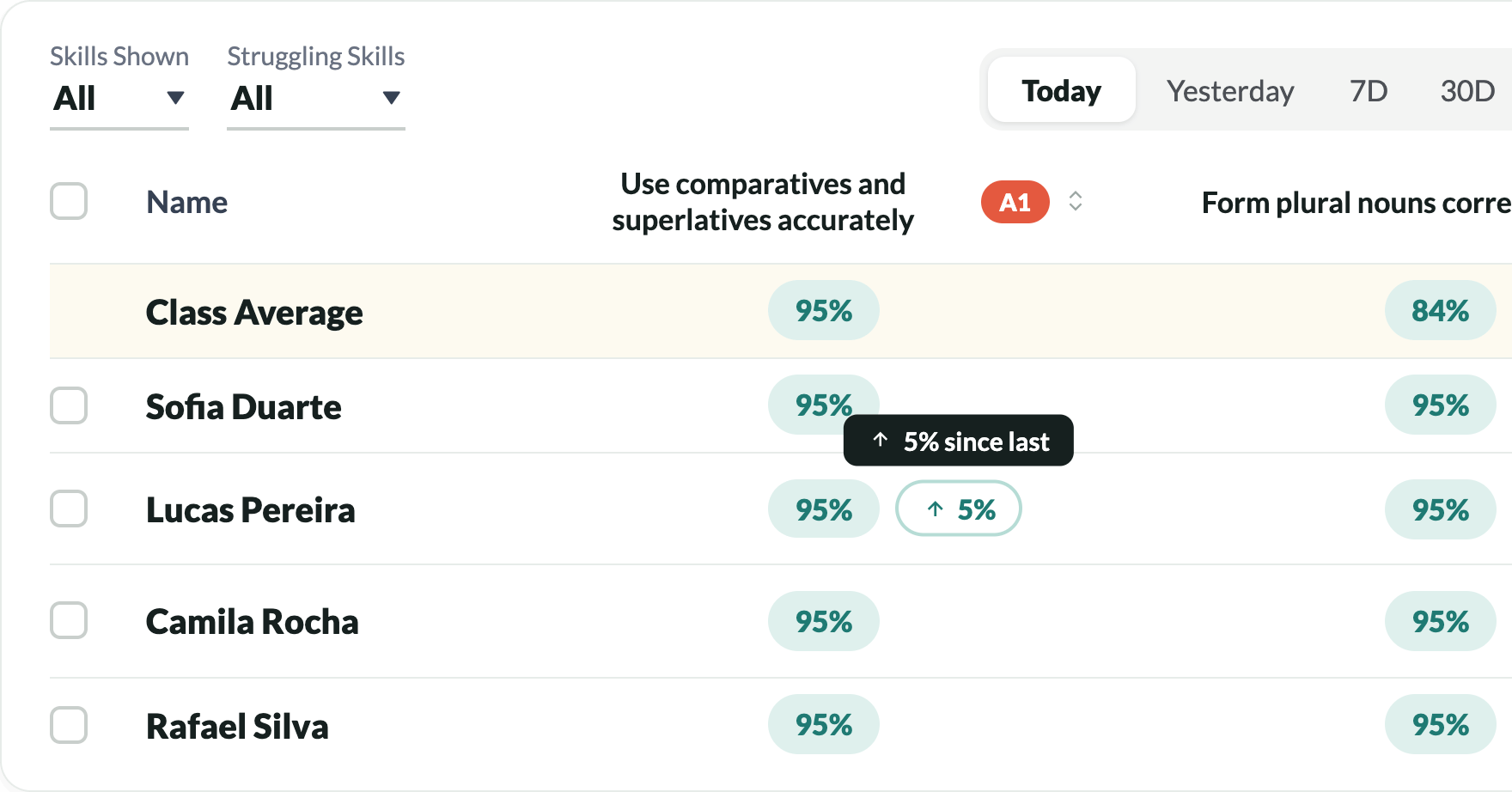
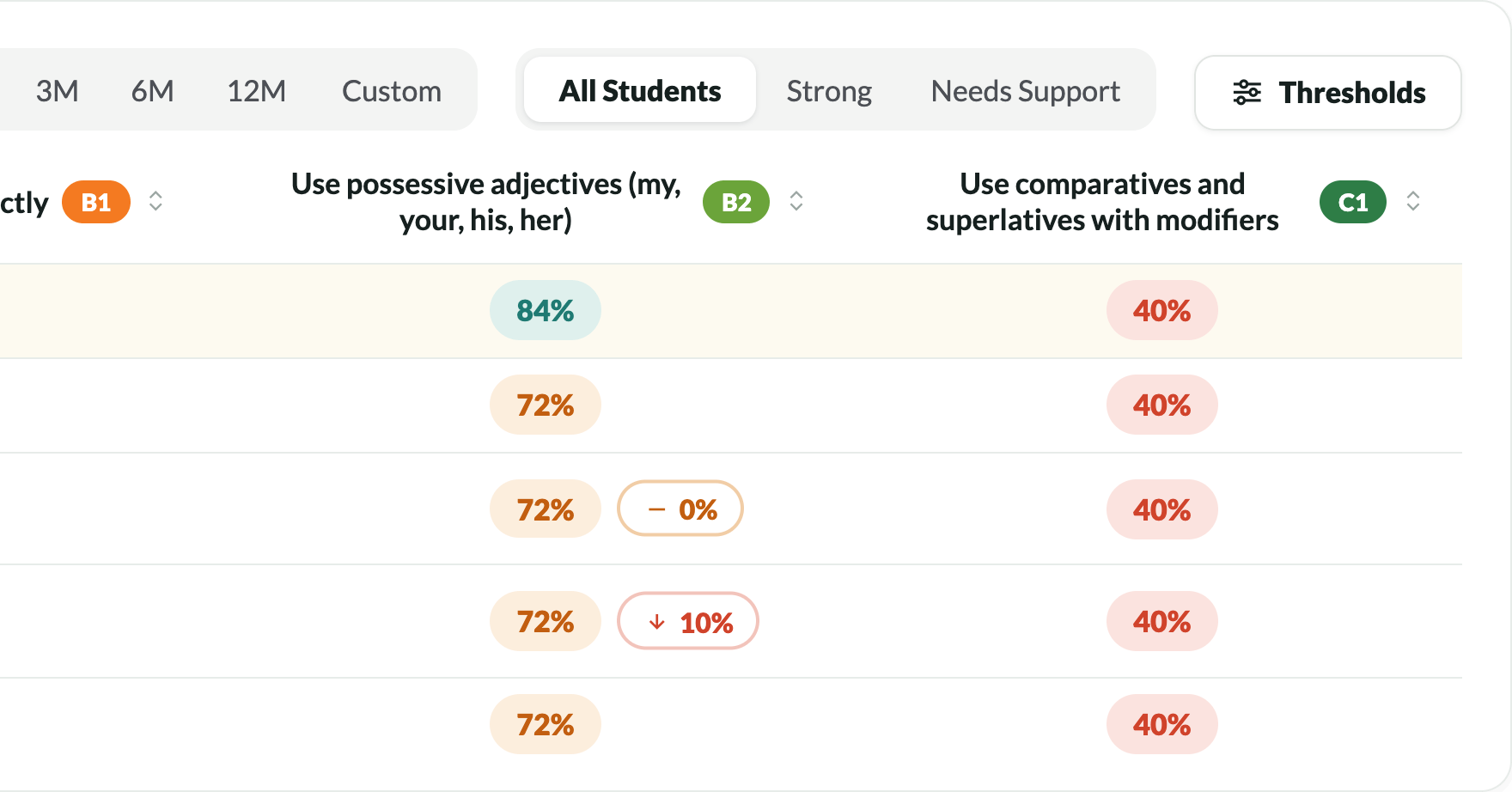
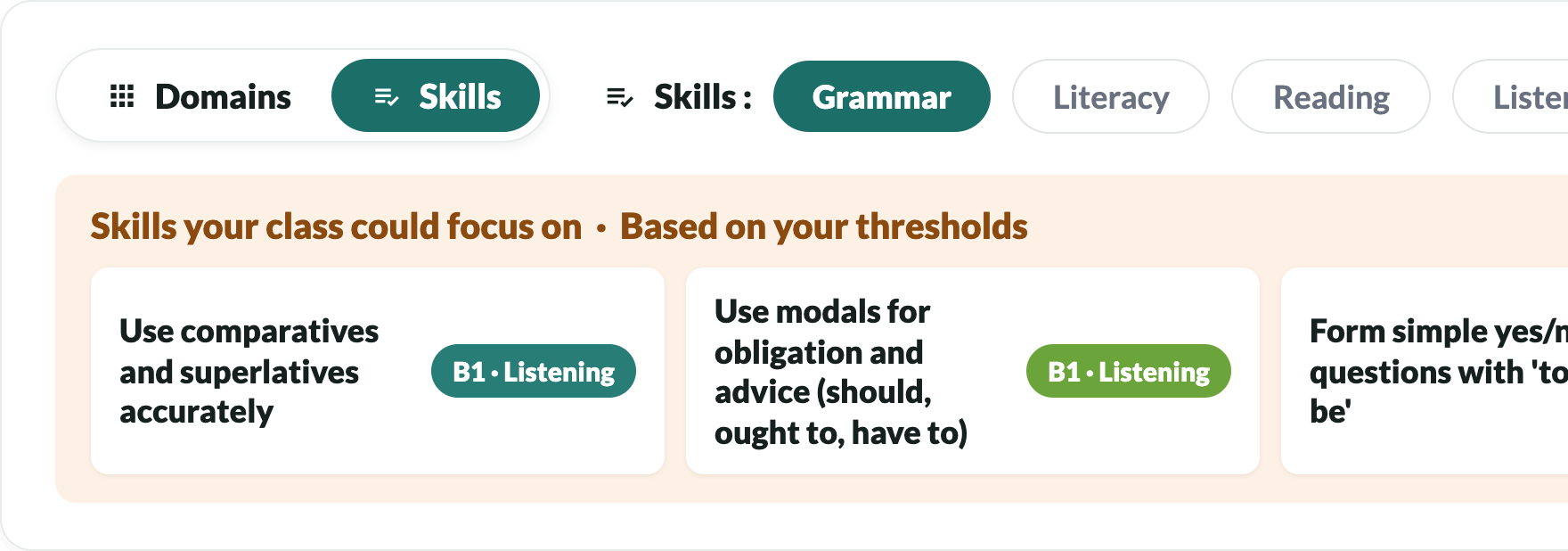
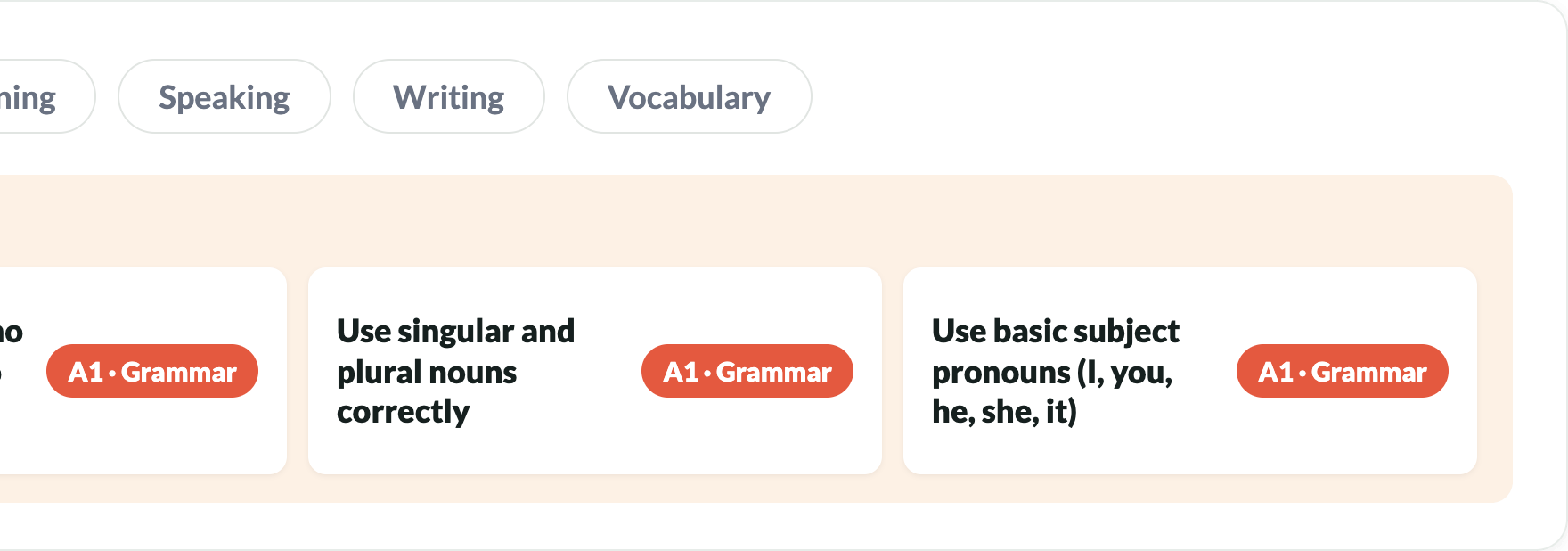
What should the class focus on next?
See which skills need another pass.
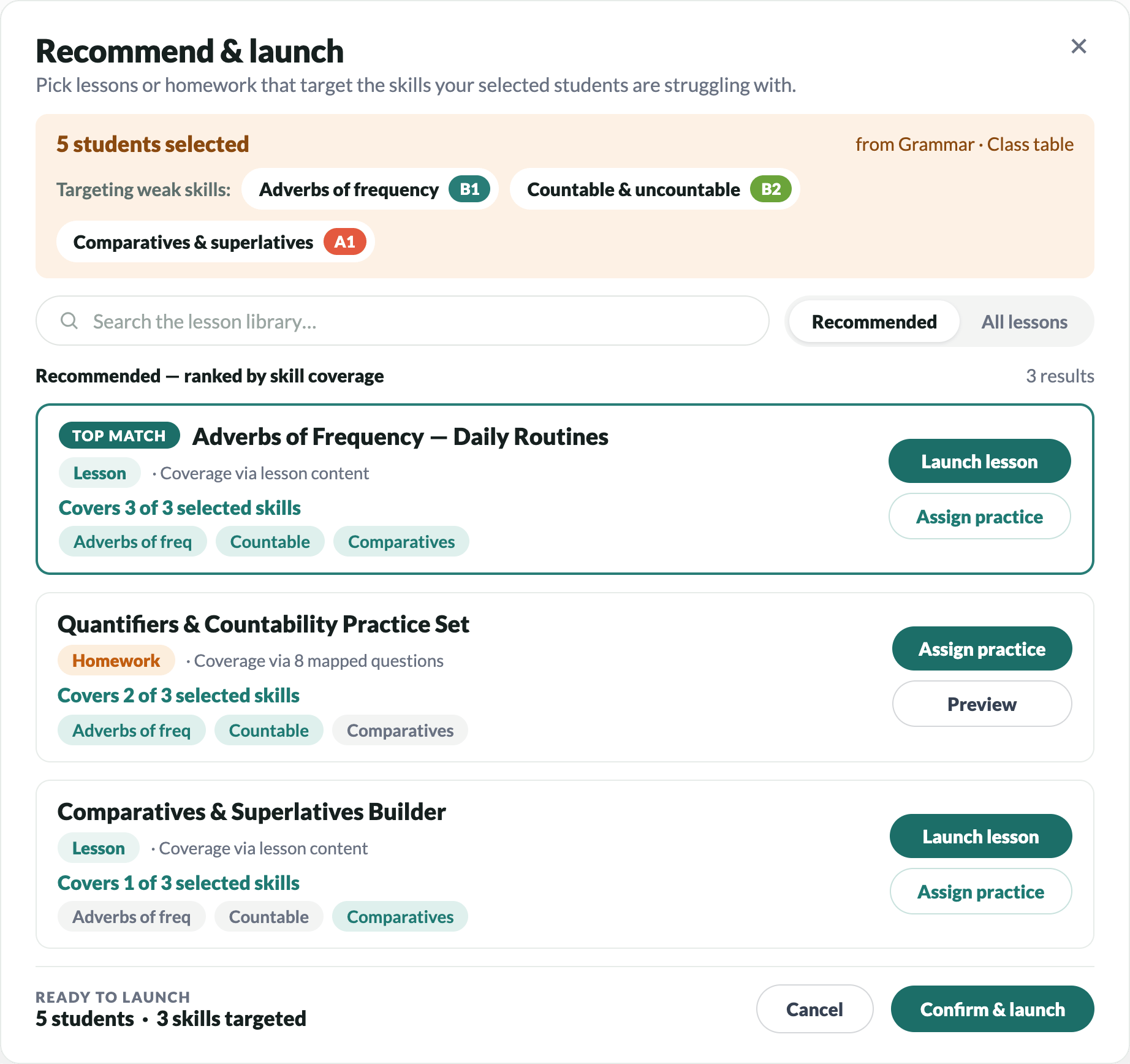
Pick the students. Find the right lessons.
Choose students with a shared need, then find lessons for their skill gaps.
Choose a group
A reading group, newcomers or students who share a need.
Review their skill gaps
See the skills needing attention across those students.
Choose what to teach
Explore lessons ranked by the skills they cover.
Overview
A skills-based performance tracking system that maps every assessment and practice activity in Off2Class to specific language skills. Teachers will see how a student is performing on each skill, which skills need attention and which lessons address the gaps.
Currently, teachers can compare student performance across levels by reassigning the Placement Test or Adaptive Placement Test. Student Progress Tracking takes this further by showing performance within each level, giving teachers a much more detailed and actionable picture of student performance.
This system will roll out in stages across different parts of the platform.
What the first versions include
The first versions report accuracy and evidence. For each skill, teachers see how the student performed and how much completed work sits behind that result, so it is clear whether a score comes from a single activity or from a consistent pattern across several. The more assessment and practice work a student finishes, the more the picture fills in.
Why
Tracking that a student moved from Level 3 to Level 4 is useful, but it doesn't tell a teacher what specific skills that student still needs to work on. EL Coordinators and teachers need granular skill-level data to make informed instructional decisions, group students effectively and share performance evidence with stakeholders.
Student Progress Tracking builds on our existing Can-do Descriptors framework by connecting skill-level data directly to Off2Class lessons and assessments. Instead of teachers manually cross-referencing skills and content, the platform will surface specific recommendations: "This student needs work on these skills — here are the lessons and activities to address them."