What changed
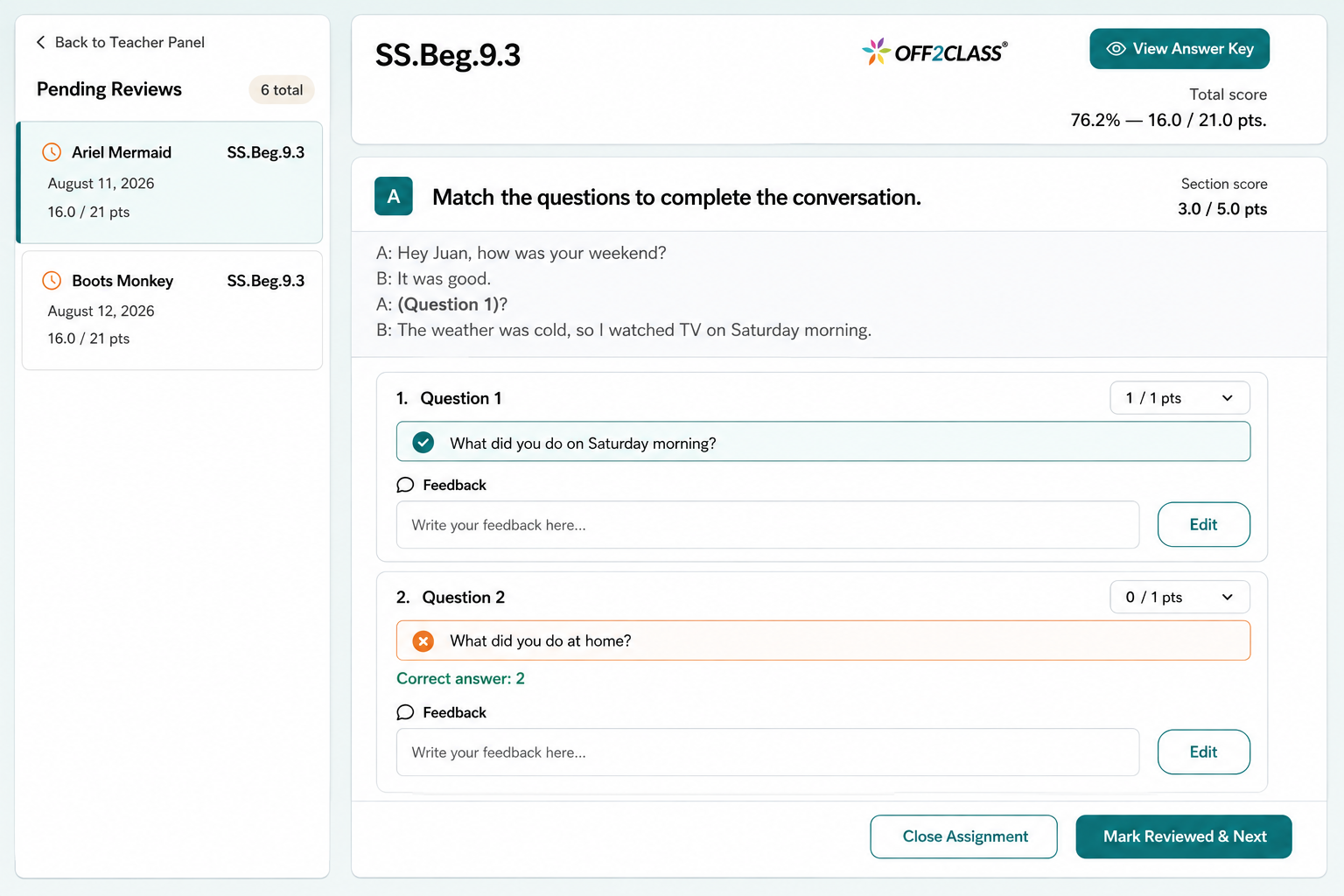
The answer key and the student's submitted answers now appear together in one combined view, so you can check a response against the correct answer without moving between panels. The dedicated answer key is still there if you want it, one click away.
You can also move from one submission to the next without leaving the review window. Score a student, go straight to the next submission waiting for review and keep working.
The homework section itself has a refreshed look too, with a cleaner layout and updated graphics that make submissions easier to scan.
Why it matters
Homework review is rarely a one-student job. It usually happens in a block at the end of a day or a week, with a stack of submissions waiting, and every trip back to a list to find the next name breaks the rhythm.
Staying in one view means you can settle in and clear the stack in one sitting. Students get their scores and feedback while the lesson is still fresh, and patterns across the class are easier to notice when you've seen every submission in a single pass. On paid subscriptions this sits on top of homework auto-scoring. The AI drafts a first pass, and you review and adjust it without leaving the view you started in.
How to use it
Open a submission from the Teacher Panel or Class Management, and you'll see the new view. Open the dedicated answer key whenever you want to see the full key on its own, and move to the next submission from within the same window.
Beta history
Released to all teachers on September 28, 2026. The earlier beta milestones are preserved below.
Teacher Panel To Do and Unit Checks
September 14, 2026 — Beta update. The updated review process now works from the Teacher Panel To Do tab and for Unit Checks.
Homework & Unit Check Review Updates
August 11, 2026 — Beta announcement. Review answers together and move through your homework queue in one window.
How to use it